How to execute actions in sequence in Nodejs
The sequential iterator patter

Note: To understand the concepts explained in this post, you should know the event loop and asynchronous programming in JavaScript. I will not cover these arguments in detail for brevity.
The idea
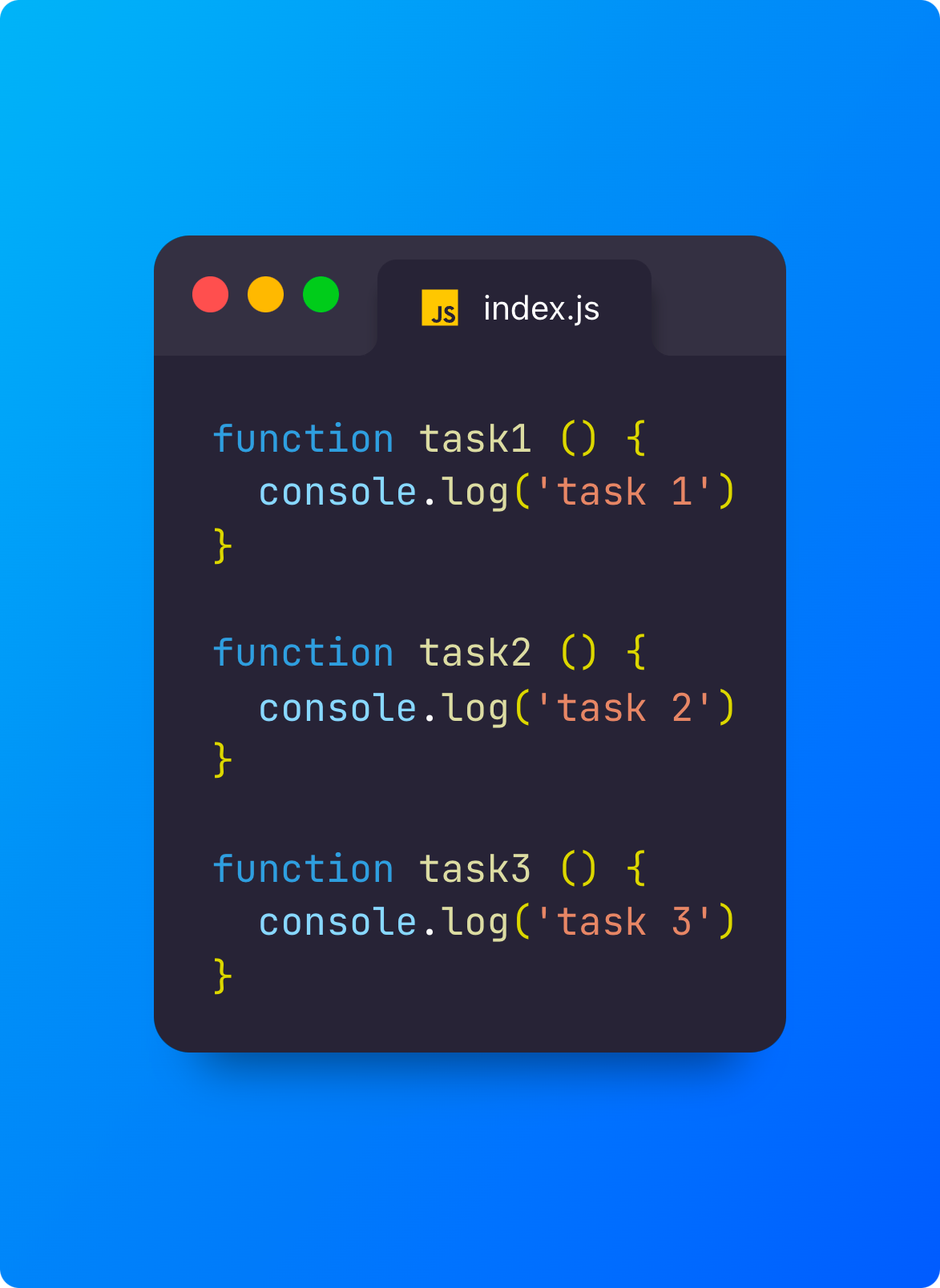
Imagine we have a series of tasks (functions) we want to execute in a specific order:
Yet, inside our index file, we have an execute function responsible for the execution of all our tasks:
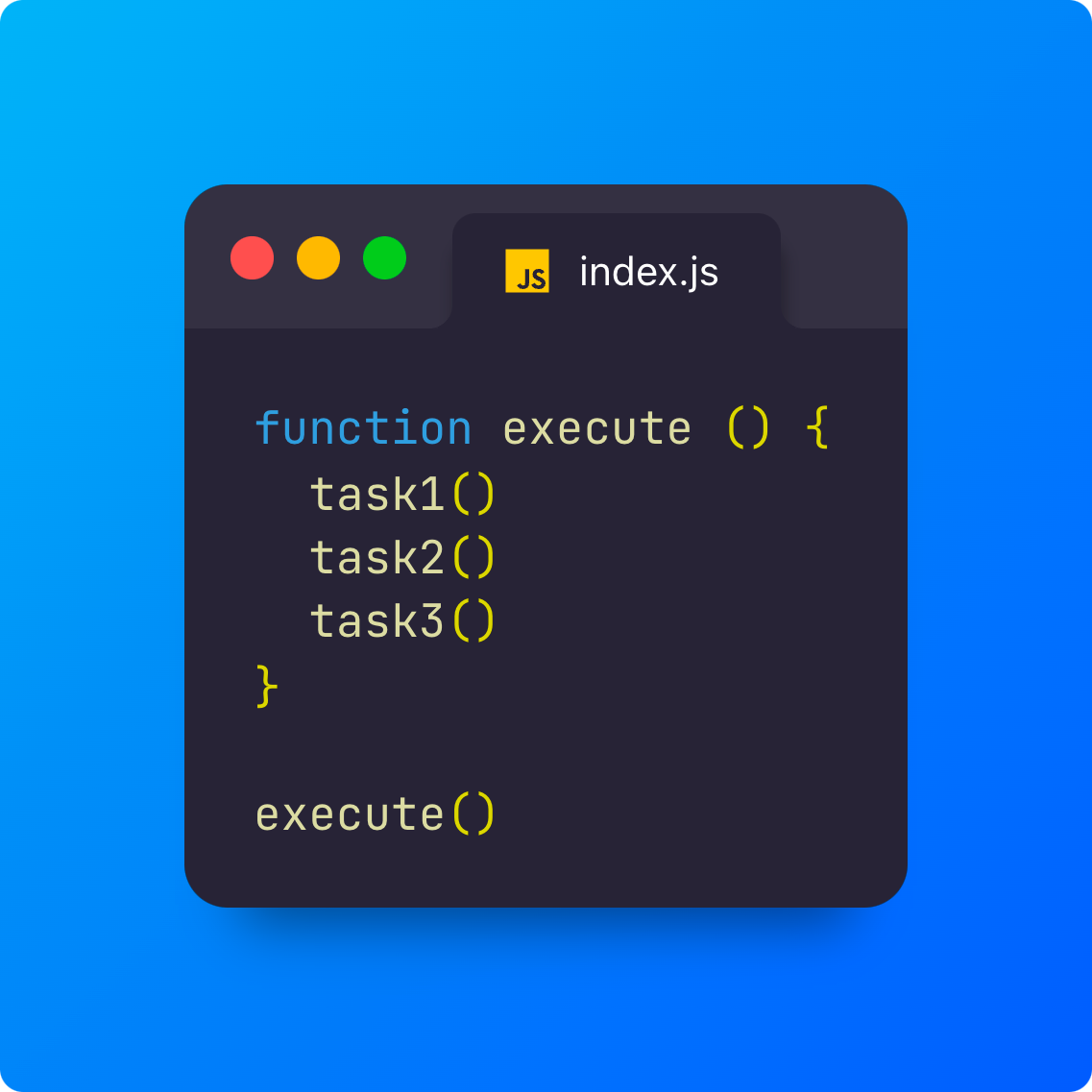
Can you figure out what the output in a shell is?
$ node index.js

task 1
task 2
task 3
Easy right?
But what happens with asynchronous tasks?
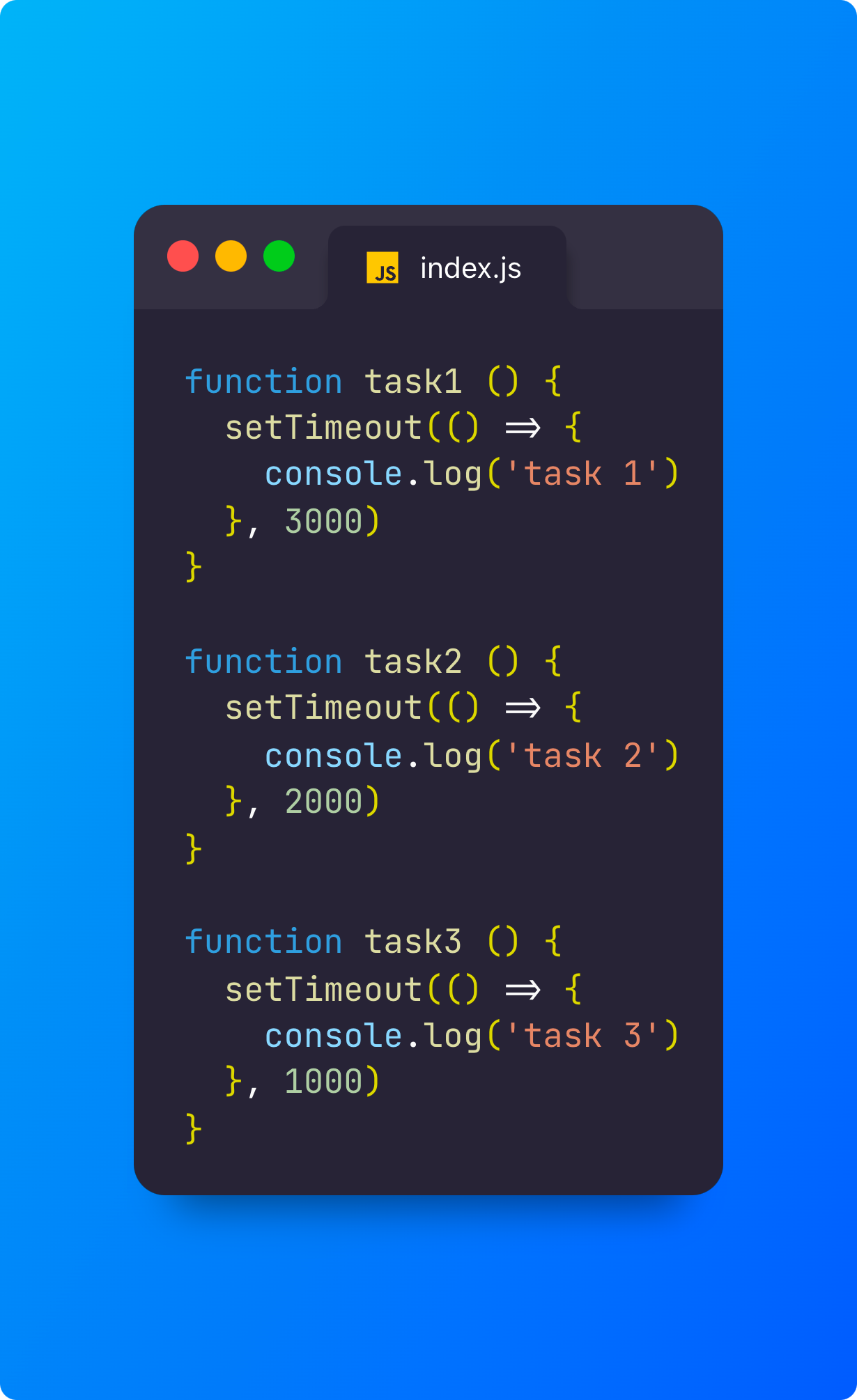
In general, we could need to wait for user input, wait for an API response, execute some database queries, etc. We don’t know in advance how long these tasks take. In the example above, the timeout simulates the time necessary for our operations to complete, and, in our scenario, the output would be:
$ node index.js

task 3
task 2
task 1
This, of course, is not what we want.
We want the same output we had in the first example. We need to ensure that our tasks are executed in the correct order, even if the first one is the slowest. To achieve this goal, a possible solution is to make each task responsible for executing the next one.
This way, when a task is completed, it can call the next one:
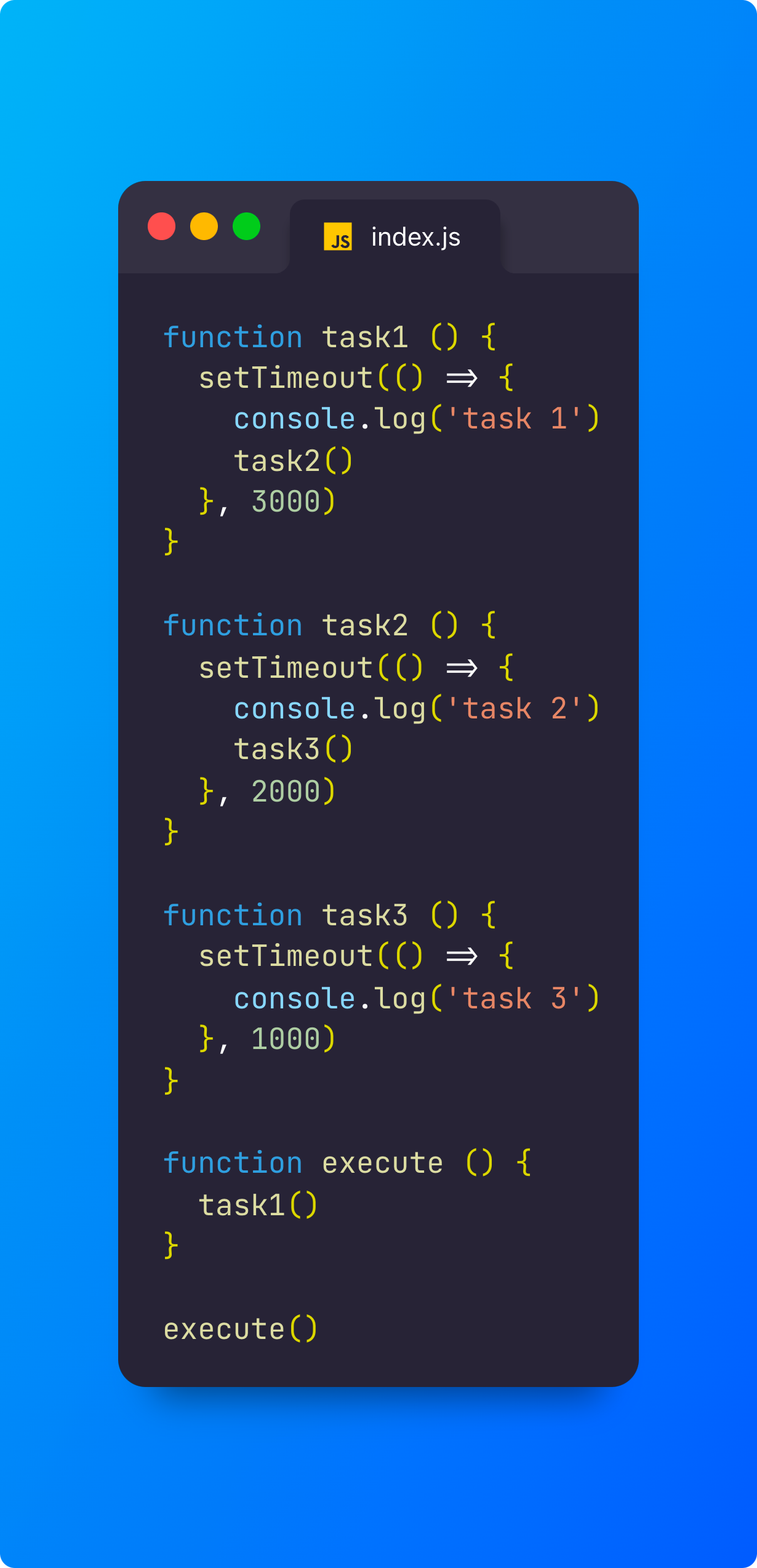
If we execute our program:
$ node index.js

task 1
task 2
task 3
You can try to change the timers as you want, and you will notice that the output will not change.
Mission accomplished!
Well, not exactly.
This pattern is particular to this case, but, in general, we could have any number of tasks, and we would like to change the order of the functions quickly and maybe add a new task in a specific position without changing the body of the functions.
Sequential Iterator
The Sequential Iterator pattern solves precisely the problem explained before:
we have a list of asynchronous tasks
const TASKS = [task1, task2, task3]we want to execute our tasks in a specific order
The Sequential Iterator pattern consists of a new recursive function we will put inside our execute function:
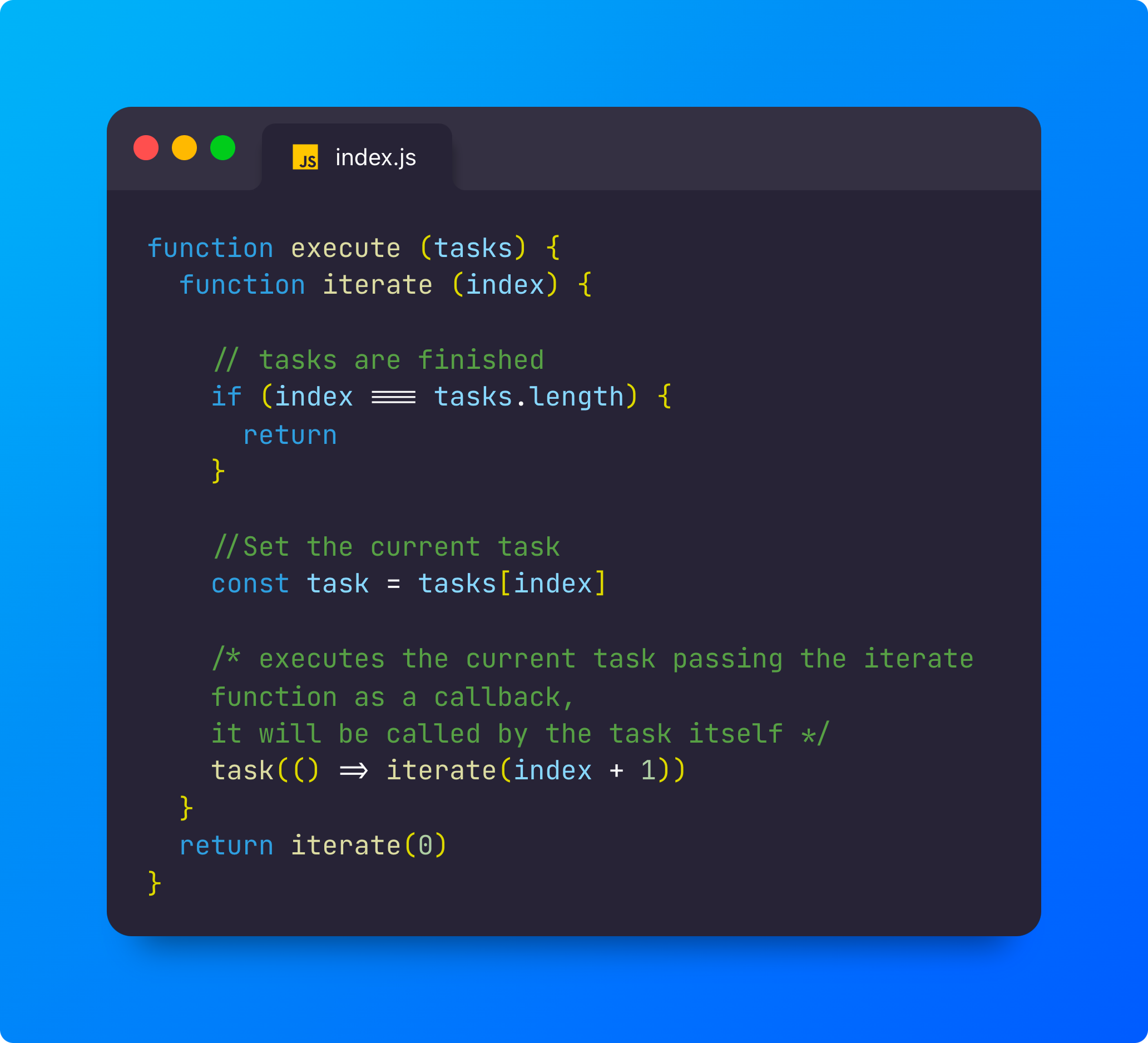
Now, the last thing to do is to make our tasks iterable:
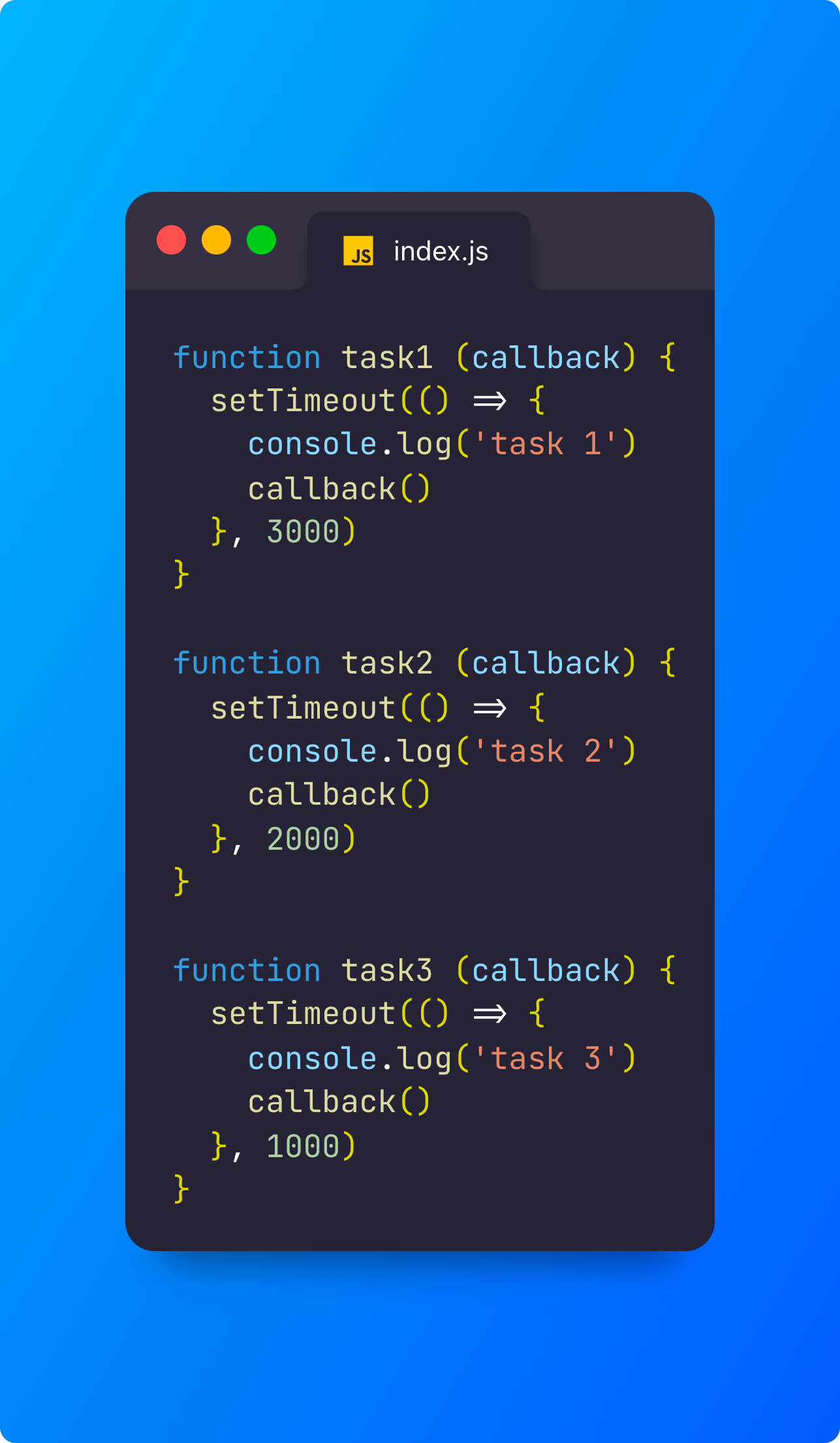
As you can see, each task now takes a callback as a parameter, and when it finishes, it executes that callback (our iterate function passes it to the following index).
Now we only need to invoke our execute function passing TASKS as an argument and, as always, execute the 'index.js' script on a shell:
$ node index.js

task 1
task 2
task 3
Note: This pattern is made for asynchronous functions, and even if it works with synchronous functions, too, it might execute the iterate function recursively a lot of times, exceeding the call stack in that case. So, if you have synchronous tasks, consider using something more appropriate (like a for loop).
Using Promises
If our tasks return promises, we can adjust our pattern to handle promises instead of callbacks.
Here is how our index file would be using promises:
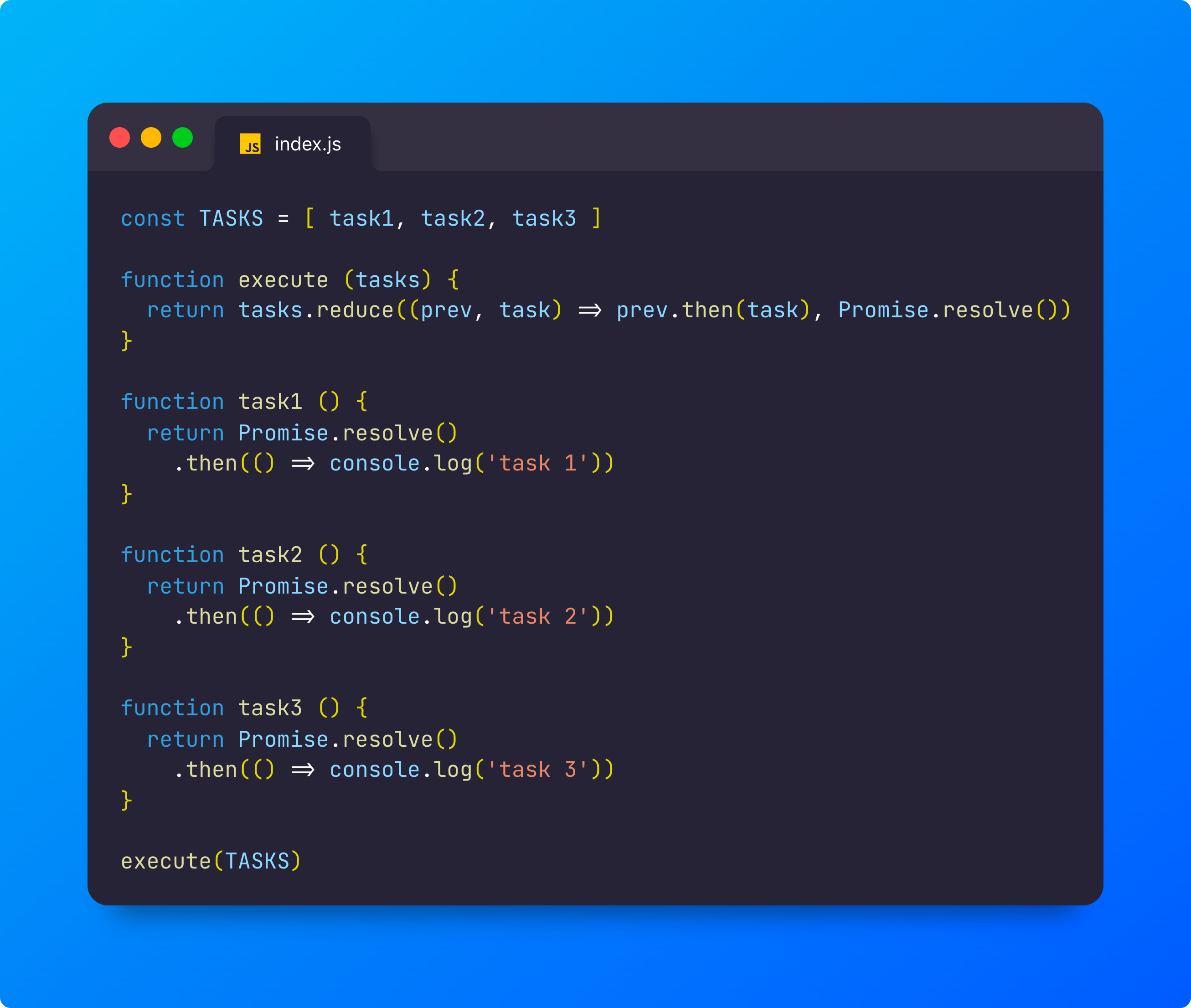
What is happening in the execute function?
We have a starting point (Promise.resolve()) and concatenate promises until we complete our tasks. I used the 'reduce' method, but you could achieve the same goal using a forEach. It's important to note that our tasks no longer require a 'callback' parameter. This is because, with promises, we no longer need to call the next task inside the previous one. Instead, we use the 'then' function to join tasks (promises).
Async/await
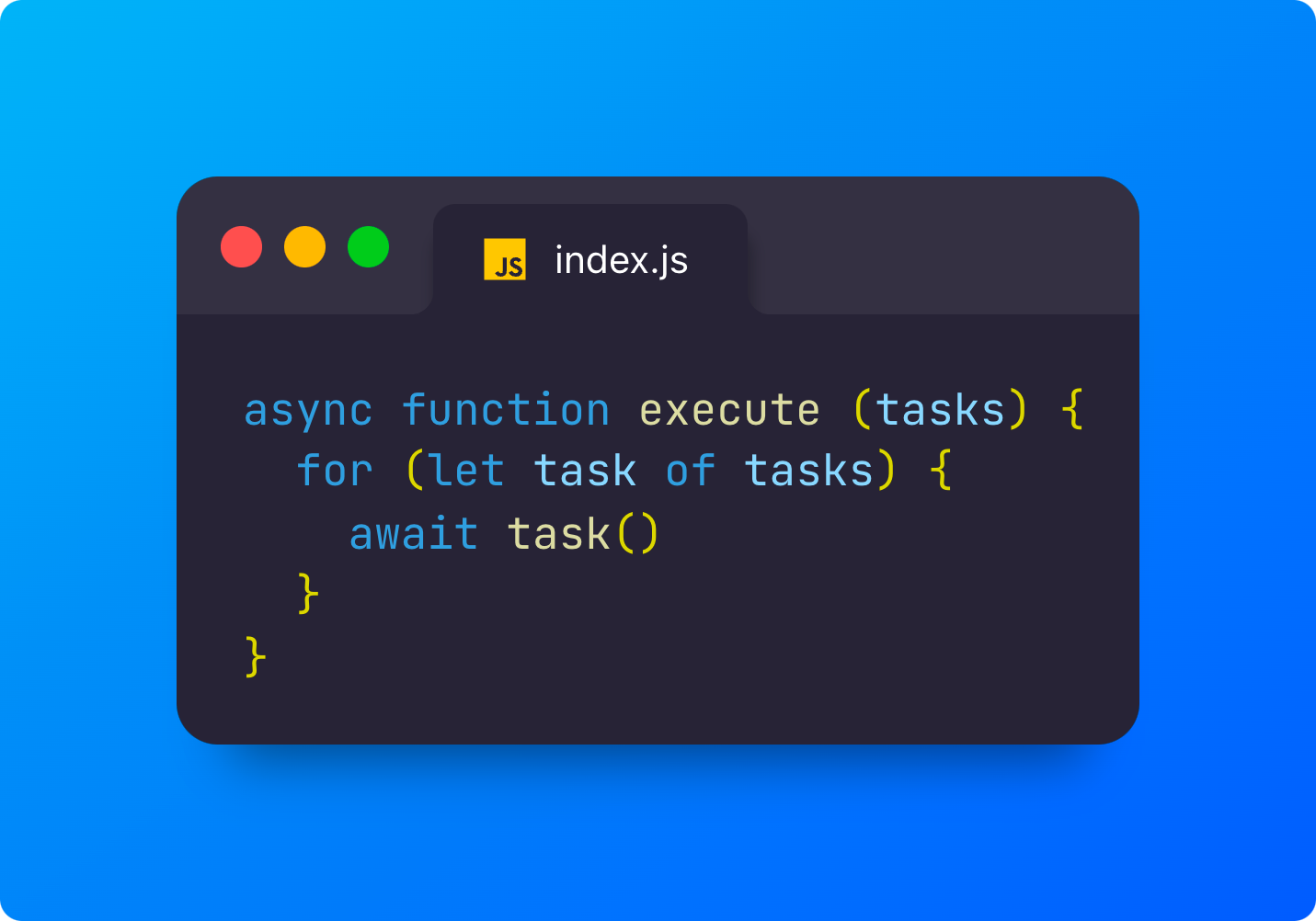
The last example I want to show you is using the latest Javascript syntax to express Promises: async/await.
The advantage of this syntax is that you can write asynchronous code like it was synchronous. It is essential to know the difference anyway.
The only thing we need to update from the previous example is the execute function.